
Employees
Reading a contest card
Open any live contest to see its rule, your qualifying sales, and how it pays out.
Last updated 2026-09-25
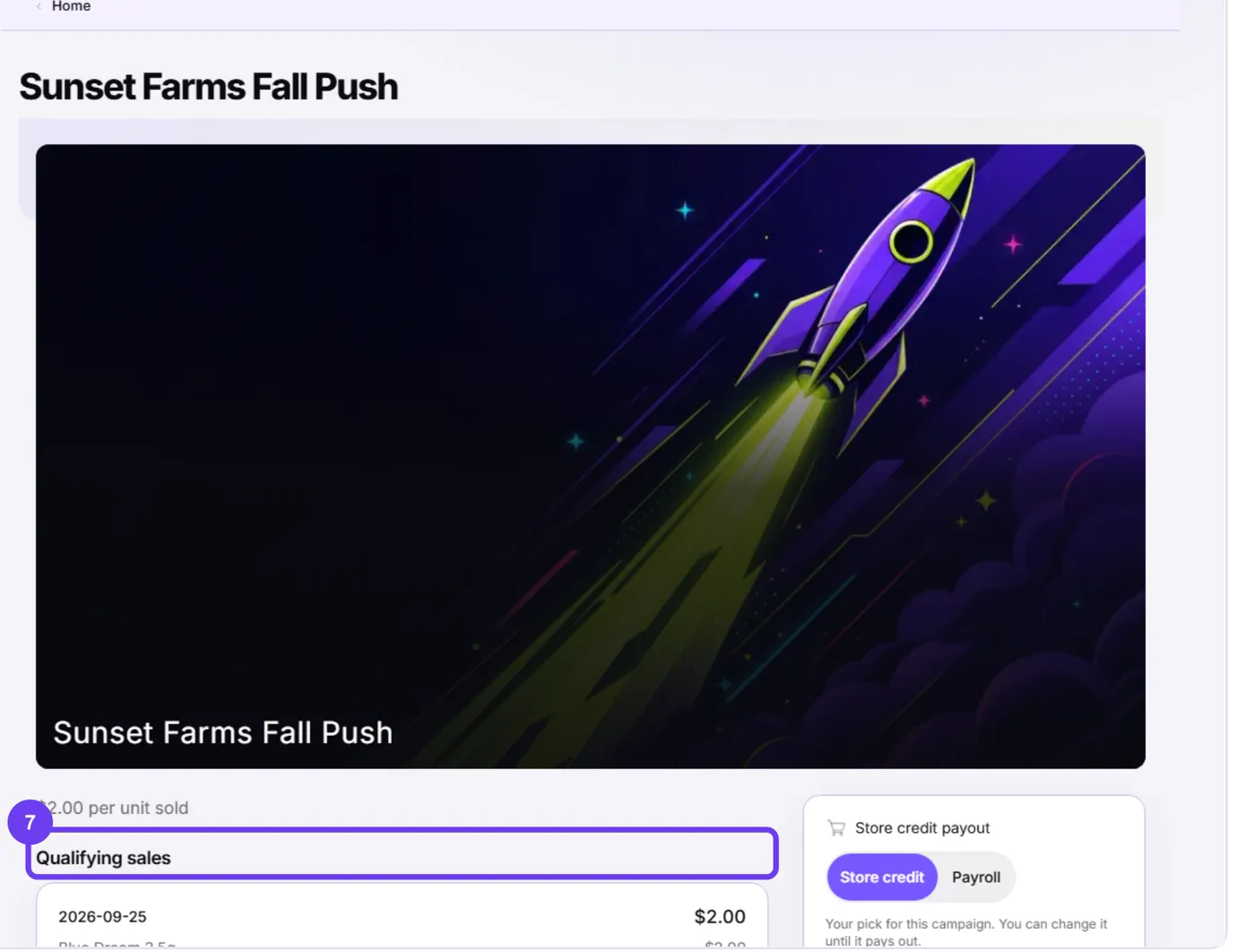
Selecting a contest card on Home opens its detail page, with everything you need to know about that contest.
What you'll see
- The rule in plain words, like "$2.00 per unit sold," "10% of net sales," or "Top 3 places win a prize."
- Qualifying sales — every day's sales that counted toward this contest, broken out by product, so you can check the math yourself.
- A payout panel showing whether this contest pays through payroll or store credit, and whether you can still change that pick.
- A running total of what you've earned so far on this contest.
Only real, qualifying sales count
Only a completed sale, rung under your own point-of-sale login, that meets the contest's rule at the moment of sale, counts. A voided or returned line never earns anything — see returns, voids, and your earnings.
Important: Read a contest's rule before you rely on it. Rules can change between contests and between segments, and what's in effect in Kief at the exact moment your sale completes is what controls, not what a preview showed earlier.
Something's wrong?
If a qualifying sale looks missing or a rule looks wrong, use the Something's wrong button right on the contest page — see if an earning looks wrong.